

Is Youcine Safe? An Honest Risk Check Before You Install (2026)
Almost every Youcine page you find says the same thing: safe, virus-free, 100% tested. If that makes you feel better, it should probably do the opposite. Nobody can honestly promise that about an app with no verified developer and no official download channel. So is Youcine safe or not?
The honest answer is more useful than a yes or a no. The app itself is not proven to be malicious, but the file you end up installing might be a different story, and there are other risks beyond viruses. In this guide you will get a plain-language risk scorecard, the specific dangers to watch for, a step-by-step way to check any Youcine file yourself, and what to do if something goes wrong. If you are looking for the download itself, head to our Youcine APK page after reading this.
In This Guide
- The Short Answer: Is Youcine Safe?
- What Does “Safe” Actually Mean Here?
- Why Nobody Can Guarantee That Youcine Is Safe
- The Real Risks of Installing Youcine
- Red Flags on Youcine Download Pages
- How to Check a Youcine APK Yourself (Step by Step)
- A Safer Setup If You Decide to Use Youcine
- Signs Your Phone May Be Infected
- What to Do If You Installed a Bad File
- Is Youcine Legal?
- Safer Alternatives to Youcine
- Is Youcine Safe? FAQs
- Final Verdict: How Safe Is Youcine, Really?
The Short Answer: Is Youcine Safe?
My verdict first, then the reasoning behind it.
Youcine is not safe to install blindly. It can be used with reasonable care if you pick your file carefully, scan it, limit its permissions and keep your important accounts away from it. If you are not willing to do that, skip it.
|
Area |
Risk level |
Why |
|
Malware in the file |
Medium to high |
Many repacked copies exist and none can be verified |
|
Privacy and data |
Medium |
No accountable developer or clear privacy policy |
|
Ads and redirects |
Medium |
Free streaming often relies on aggressive ads |
|
Account security |
Medium |
Fake login screens and reused passwords are a danger |
|
Legal exposure |
Unclear to high |
Streams come from sources without clear licenses |
This scorecard is my own assessment based on how this kind of app works, not the result of a lab test. Treat it as a guide, not a guarantee.
What Does “Safe” Actually Mean Here?
Four different kinds of safety that most pages mix together.
File Safety
Does the APK contain malware, spyware or hidden code? This depends on the exact file you download, not on the name of the app.
Privacy Safety
What does the app collect, and who sees it? With no verified developer behind it, you cannot get a trustworthy answer.
Account Safety
Could the app, or an ad inside it, trick you into handing over passwords or payment details? This is where careless habits cause the most damage.
Legal Safety
Is it legal to stream what the app shows you? That depends on your country and on the licenses behind each source. It is a separate question from malware, and it deserves its own answer.
Why Nobody Can Guarantee That Youcine Is Safe
The structural problem behind every “100% safe” claim.
There is no single Youcine file. Different pages offer different versions, sizes and even different package names. Listings I came across show different package names under the same app name, which suggests more than one app is using the same brand.
- I could not find a verified developer or company behind the app.
- There is no official store listing that Google has reviewed.
- Updates come from many websites, not one trusted source.
- Anyone can repack the APK and publish it under the same name.
That does not prove the app is bad. It means the burden of checking falls on you, and it explains why claims like “scanned and verified” on a download page are not worth much.
The Real Risks of Installing Youcine
Seven specific ways an unofficial streaming app can cause trouble.
Malware Hidden in Repacked Files
Anyone can unpack an APK, add code and upload it under the original name. The app still opens and plays videos, so you notice nothing while the extra code runs quietly in the background.
Permissions That Go Too Far
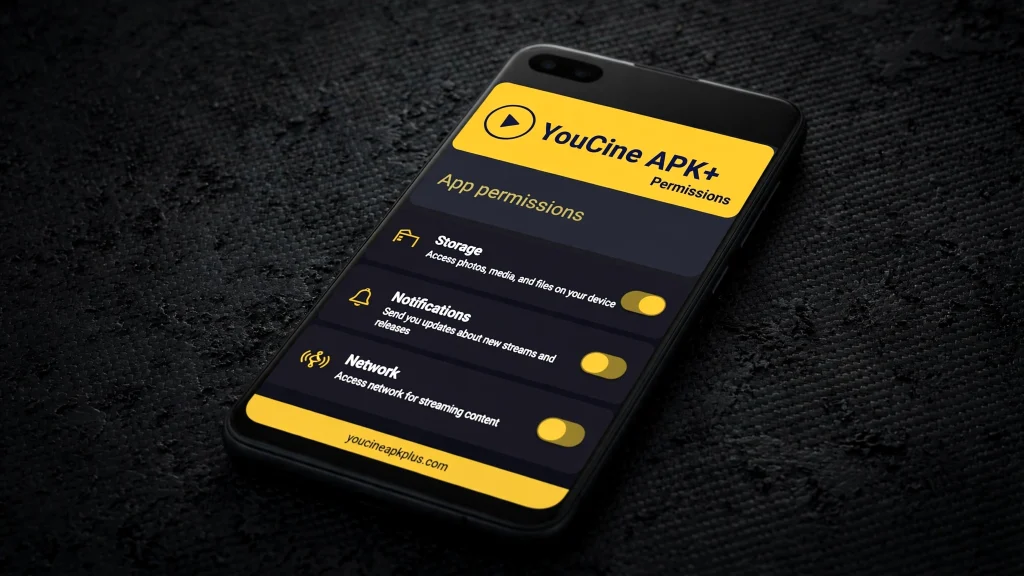
A streaming app has no reason to read your texts, contacts or call history. Requests like these, or for accessibility and device admin rights, give a file deep control over your phone and are a serious warning sign.
Malicious Ads and Redirects
Free streaming apps and sites often rely on aggressive advertising. Some ads open fake update warnings, prize pages or install prompts. One careless tap can lead you away from the app and toward something harmful.
Privacy and Data Collection
There is no clear privacy policy or accountable developer to hold responsible. Without one, you cannot know what usage data, device details or identifiers the app collects, or who it may be shared with.
Fake Updates and Update Prompts
Some pages push an update notice that points to a different file. Installing it can replace a clean build with a modified one, so treat every in-app or web update prompt with suspicion and verify it first.
Phishing Through Fake Login Screens
If an app or page asks you to sign in with Google, Apple or a streaming account, it may be harvesting credentials. Never enter your main account details, and use a separate email for anything like this.
The Extra Risk of Mod APKs
Modified versions promise VIP features and no ads. They are re-signed by unknown people and cannot be compared with an original, which makes them the riskiest files in this niche by a wide margin.
Red Flags on Youcine Download Pages
Warning signs you can spot before you tap download.
- Promises such as “100% safe”, “virus-free” or “official” with no evidence.
- Security badges from well-known brands that do not link to a real report.
- A download button that sends you through several pages or asks you to install another app first.
- A file that does not end in .apk, or a size that is far from what other sources show.
- Pages that ask for your email, phone number or card details for a free download.
- Files described as “pro”, “premium”, “VIP unlocked” or “no ads forever”.
- Pages with no author, no date and no contact information.
How to Check a Youcine APK Yourself (Step by Step)
A practical test you can run before the app ever opens.
Step 1: Look at the Basics
Check the file extension, the size and the version number. Compare them with what two or three other sources say. A big mismatch is a reason to stop.
Step 2: Scan It on VirusTotal
Upload the APK at VirusTotal and wait for the engines to finish. Read the results carefully, using the table below.
|
VirusTotal result |
What it usually means |
What to do |
|
Zero detections |
No engine flagged the file |
Good sign, but not proof of safety |
|
One or two flags from lesser-known engines |
Often false positives |
Look at the names and run extra checks |
|
Several flags from well-known engines |
Likely malicious or risky |
Delete the file |
|
File never scanned before |
No history to rely on |
Be extra careful |
Step 3: Review the Permissions
|
Permission |
Verdict |
Reason |
|||
|
Internet and network state |
Normal |
Needed to stream |
|||
|
Storage or media access |
Usually normal |
Used for downloads on some Android versions |
|||
|
Notifications |
Can be normal |
Alerts and download progress |
|||
|
Camera |
Only for QR |
Needed if you scan a code |
|||
|
SMS, contacts, call logs |
Suspicious |
No link to streaming |
|||
|
Accessibility service or device admin |
Suspicious |
Gives deep control of the phone |
|||
|
Draw over other apps |
Suspicious |
Often used for fake overlays and ads |
Step 4: Check the App Info
After installing, open Settings, Apps, Youcine and note the package name and version. Compare it with the file you meant to install. A different name is a red flag.
Step 5: Run Google Play Protect
Open the Play Store, tap your profile picture, choose Play Protect and run a scan. Google explains how it works on its Play Protect help page.
Step 6: Test It Somewhere Safe
If you can, try the app on a spare phone, a TV box or an emulator first. Keep it away from the device that holds your banking apps and personal photos.
A Safer Setup If You Decide to Use Youcine
Habits that cut the risk even if the file is not perfect.
- Use a spare device or profile that has no banking apps, work email or sensitive photos.
- Create a separate Google account for anything you sideload, and never reuse a password.
- Turn off unknown app installs once the installation is finished.
- Deny extra permissions the app does not need for streaming.
- Never enter payment details in the app or on any page it sends you to.
- Consider a private DNS or ad blocker to reduce malicious ads, and keep Android updated.
- Delete the APK file after installing, so you do not reuse a bad copy by mistake.
What About a VPN?
A VPN hides your traffic from your network and can add privacy, especially on public Wi-Fi. It does not scan files, block malware or make an illegal stream legal. Think of it as a privacy tool, not a safety net.
Signs Your Phone May Be Infected
Symptoms that suggest a bad file got through.
- Ads, pop-ups or full-screen offers appear outside the app.
- The battery drains faster than normal.
- Mobile data usage jumps without a reason.
- Apps you never installed show up.
- The phone runs hot or feels slow when idle.
- You receive login alerts or password reset emails you did not request.
- The phone asks for accessibility or device admin access for no clear reason.
What to Do If You Installed a Bad File
Act quickly and in this order.
- Turn on airplane mode, or disconnect the device from Wi-Fi.
- Uninstall Youcine and any other app you do not recognize.
- Open Settings and remove unknown apps from accessibility and device administrator lists.
- Run a Play Protect scan, and a second scan with a trusted security app if you like.
- Using another device, change the passwords for your email, banking and social accounts, and turn on two-step verification.
- Watch your bank and card statements for unusual activity.
- If problems continue, back up your photos and contacts and perform a factory reset.
A factory reset is the nuclear option, but it is the most reliable way to clear persistent malware. If money or identity is involved, contact your bank and local authorities.
Is Youcine Legal?
A short note, since safety and legality often get confused.
A clean file can still lead you to streams that are not legally licensed, and watching copyrighted content without permission can break the law depending on where you live. I am not a lawyer, so check your local rules. For the broader picture, see our Youcine legal guide.
Safer Alternatives to Youcine
Free options that install from official stores and carry far less risk.
- Pluto TV offers free live channels and on-demand titles with ads.
- Tubi has a large free library of movies and series.
- YouTube includes free movies and many official channels.
- Plex provides a free ad-supported catalog, plus your own media.
The catalogs are smaller, but you get official updates and no malware worries. We list more options in our Youcine alternatives guide.
Is Youcine Safe? FAQs
Quick answers to the safety questions people ask most.
Is Youcine safe for Android?
It depends on the file. Scan it, review the permissions and limit what the app can access. Nobody can guarantee a specific APK.
Does Youcine have a virus?
The app is not proven to contain one, but repacked copies could. Only a scan and careful checking of your own file can tell you more.
Is Youcine safe on a TV or Fire Stick?
The same rules apply, and TVs give you fewer tools to inspect permissions. Scan the file on another device first, as our Smart TV guide explains.
Is it safe to log in to Youcine?
Use a separate email and a unique password. Never sign in with your main Google or payment accounts.
Is Youcine Mod APK safe?
No. Modded files are signed by unknown people and cannot be compared with an original. Read our mod APK explanation for the details.
Can Youcine steal my data?
A clean file is unlikely to, but a modified one could. The risk depends on the file and the permissions you grant.
Is a VPN enough to stay safe?
No. A VPN protects your connection, not your device. It will not stop a malicious file.
Is Youcine safe for kids?
I would not hand it to young children. Ads can be unsuitable, and the kids section is not a full parental control system.
Final Verdict: Is Youcine Safe, Really?
My bottom line after weighing the risks.
Youcine is not safe by default, and no page can make it so. The risk comes mostly from the file you choose, the ads you tap and the habits you bring to the install. If you scan the APK, check the permissions, use a spare device and keep your main accounts out of it, you cut most of the danger. If that sounds like too much work, the free legal apps above are the smarter choice. Ready to move on? Compare versions in our old version guide, or visit the main Youcine APK page for download details.
Disclaimer: This article is for information only. We do not host or promote copyrighted content. You are responsible for following the copyright laws of your country.


